Clicky Keyboards

Shawn Blanc:

If you too want to adorn your desk with an ugly keyboard — one with a loud personality and which increases typing productivity — then I recommend the Das Keyboard. I prefer both the tactile feel and the sound of the blue Cherry MX switches, and though I find the Das to be the ugliest of the bunch, a serious typist knows you shouldn’t be looking at your keyboard while you’re typing.

Ever thought about switching away from your slim, silent Apple keyboard to a clicky keyboard? You should probably read and hear this very detailed review by Shawn Blanc.

I’m really happy with my small Apple blueetooth keyboard and wouldn’t want to give it away. But I can see now why you might decide differently.

Harry Roberts HTML/CSS coding style

Harry Roberts:

When I write HTML and CSS I have a certain set of rules and guidelines I stick to with regards syntax and formatting. I‘ve decided to write them up here not to preach or tell you how to do things, but simply to share how I like to work.

Harry Roberts wrote about his HTML/CSS coding style. I think I’ll adopt some ideas and will write about my own coding style in the near future.
I wanted to do this for a long time and never got around to it. Harry’s article might be the kick in the ass I needed.

Animate.css – a bunch of plug-and-play CSS animations

Dan Eden:

animate.css is a bunch of cool, fun, and cross-browser animations for you to use in your projects. Great for emphasis, home pages, sliders, and general just-add-water-awesomeness.

Dan Eden put together a stylesheet with some fancy CSS animations which are really easy to use. Simply add the classes animated and the animation name to an element and you are good to go.
I wouldn’t include the whole file just for one animation, but it is a good library for picking the animations you like and including them in your own stylesheet or vars.less.

Street Photography. Easier said than done.

Daniel Milnor:

Street photography is a nightmare, at least for me. So much has to happen before something magical occurs. This can happen instantly or over a long period of time. Light is always an issue. People are an issue. Access is an issue. There is a razors edge fine line between a good street image and a snapshot being pawned off as a great work. Whats the difference? I don’t know. I’m no expert. I guess I know it when I see it.

Great article by Daniel Milnor. A must-read.

‚Red China‘ in Color, 1958

Never seen a color photograph by Henri Cartier-Bresson? Here you go.

Browser Wars: IE Owns America, Europe Loves Chrome

Brad Maccarty for The Next Web:

Internet-monitoring giant Pingdom is back, with a report this time on global browser market share. The interesting finds? Microsoft’s Internet Explorer 9 push seems to be paying off, as the browser has captured the leading spot in North America with 21.2%. It’s followed closely by Google Chrome at 20.2%, but Internet Explorer on the whole takes 40.4% of the North American browser market.

Bad news is: IE still on top. Good new is: IE7 is virtually gone. I can deal fairly easy with IE 8 most of the time.

Working as a team

Bastian Allgeier wrote an article for .net magazine saying, every designer should learn to code and every programmer should learn to design.

For an interface designer, handing over your designs to the developer means losing control of the creative process. Of course, you will be working together on the project and communicating back-and-forth, but it will never result in a creation that is all of your own. In other words, you will never be independent in your creativity.

Bastian is the creator of Zootool and kirby, the awesome file based CMS. He studied Design and then learned how to code. The reason for him to do everything was to be independent. He can do whatever he wants because he can do everything by himself. That certainly has value, but beeing a generalist also has some downsides.

I think as a webdesigner for example it is important to know the basics of HTML and CSS, but that’s pretty much it. You don’t have to know every little detail or be able to code some fancy Javascript or PHP to make a great website design. The problem is that, if you know to much about the other craft it can stand in your way. Imagine you are the designer and developer of a project and you have a cool looking idea and you know that this will be hard to do in CSS & HTML and will probably take a lot of time. There is a good chance you will simply go with the easier version. That might be good if you try to work as little as you can for the most amount of money, but that certainly isn’t the right way if you want to build the best product possible.

At QUOTE.fm we work as a team of experts. Okay, we are fairly young and years away of being experts, but everybody has his core strength.
Marcel for example does all the design work and almost everyday we discuss his latest creations. He does the best design he can dream up without thinking too much about the other parts of the process. Then it is up to me to analyse if it’s possible to do. My standard answer is: „Everything is possible.“ And if I don’t know how to do it yet, I will figure it out. It is all about doing the best work possible, not the easiest. I can’t stand people who say that something is impossible without really trying first. In my experience everything is feasible, the question is how long does it take do find the solution and are you willing to go the long way instead of the easy one.

In my opinion it is much easier to achieve this if you work in a team with experts, who also know the basics of the other crafts, so that you can discuss every decision and motivate each other. That’s a very important part which you loose if you work alone.

I can see that not everybody is in the position to have a great team and that it is good if you can do a project on your own, but it is not the best possible way.
In the end it all comes down to loving your work and trying to build the best product no matter what.

Proudly Introducing Adobe & HTML

Deepa Subramaniam for Adobe:

With so many exciting things happening at all levels of the web “stack”, we wanted to create a single place where we can share everything we are working on with the community to improve what is possible on the web and simplify how you work with HTML, CSS, SVG and JavaScript. So we are incredibly excited to unveil our new Adobe & HTML website! It is here that you can find up-to-date information about all of the different HTML projects Adobe is working on, discover which events we will be attending, and find out how you can join us in making the web better.

The work Adobe does is great. Have a look at Adobe & HTML and also read the article by Dustin Curtis on the importance of Adobe’s work.

DOM

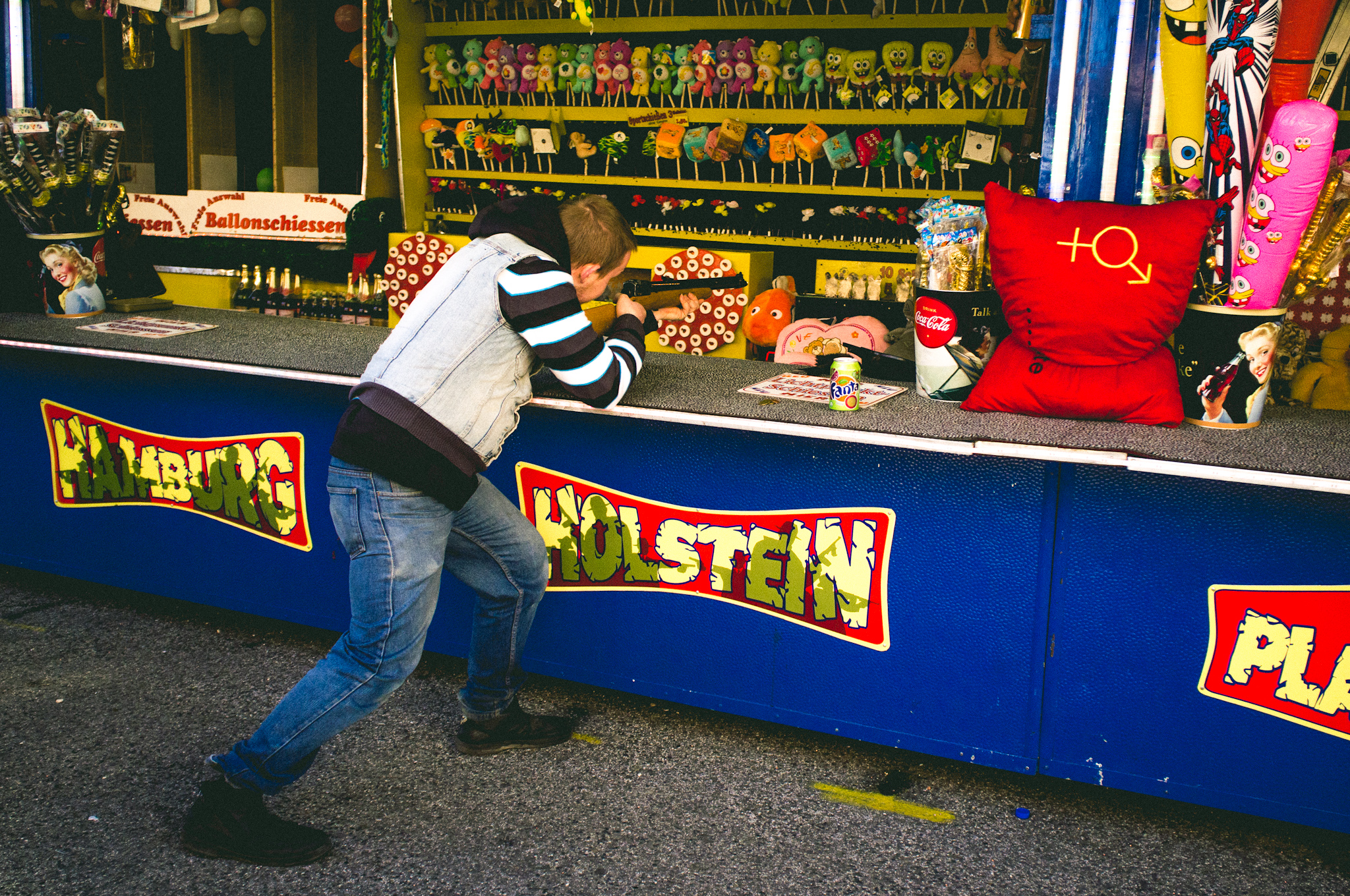
DOM Hamburg, April 2012, Fuji X100

Fighting the Space Between Inline Block Elements

Chris Coyier:

This isn’t a „bug“ (I don’t think). It’s just the way setting elements on a line works. You want spaces between words that you type to be spaces right? The spaces between these blocks are just like spaces between words. That’s not to say the spec couldn’t be updated to say that spaces between inline-block elements should be nothing, but I’m fairly certain that is a huge can of worms that is unlikely to ever happen.

Here’s some ways to fight the gap and get inline-block elements sitting directly next to each other.

I often fought with the alignment of inline-block elements myself. Chris has some solutions for the „gap problem“, but I think I rather stay with floating elements if possible in any way. It seems like much cleaner and more sustainable code to me.