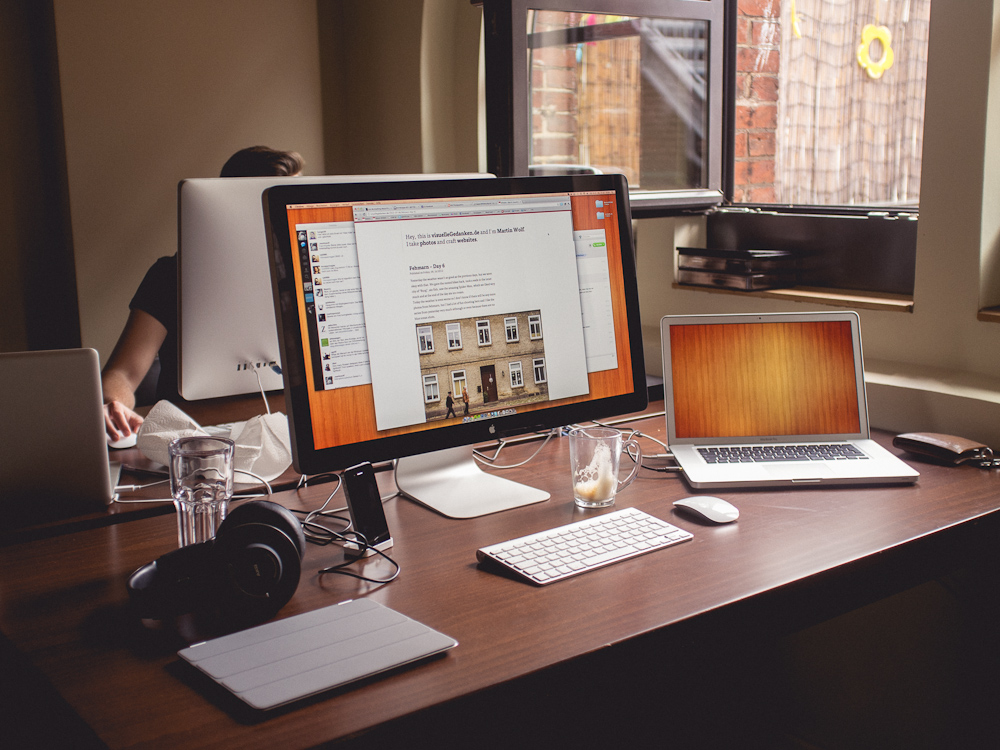
We, QUOTE.fm and elbdudler, moved into a new office. In this case ‚office‘ means a church. So this is my new workplace.

visuelle Gedanken von Martin Wolf
09. Juli 2012
22. Juni 2012
19. Juni 2012

Discover, share, and read stories worth your time. Save them to “Read Later†and read them conveniently and wherever you want.
Besides our new video and welcome page we also want to give you a little glimpse into the future of QUOTE.fm today. It’s all about reading great stories on the web, on your iPad and on your iPhone – fully customizable and with your friends and new recommendations only a few clicks or touches away. We call it Social Reading.
We’re really excited about the future, I hope you’re too.
19. Juni 2012
Today we launched a new landing page featuring our brand new QUOTE.fm video which explains in simple word and with nice animations by Thomas Bogner what QUOTE.fm is. In the future when you need to explain what QUOTE.fm is about, just link to the video. :)
14. Juni 2012
Today Reeder for iPhone 3.0 was released. I’m very happy to tell you that QUOTE.fm is one of the newly integrated sharing services.
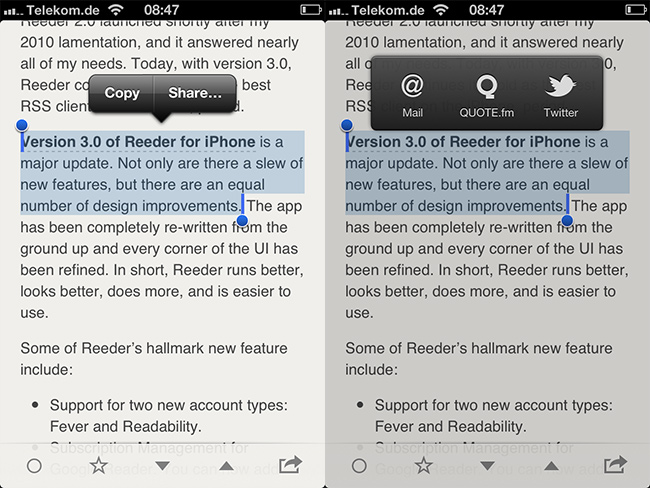
You can now easily select text while reading a great story in Reeder, tap „Share…“ and select QUOTE.fm.
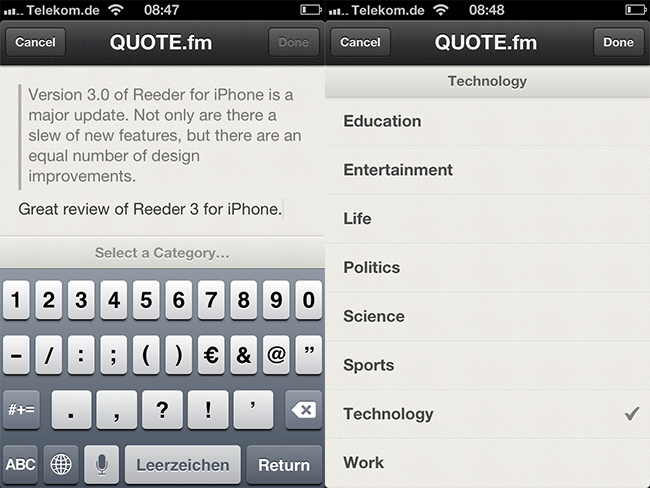
In the next step you can type a comment and select a category. Exactly like on the website, in the bookmarklet or the Chrome Extension.
Besides the QUOTE.fm integration Reeder 3.0 is an amazing update to an anyway great app. I use it every day. You should too.
08. Juni 2012
Eventually, we came up with a better solution. Paste the URL of the story you’d like to recommend into the “Add recommendation†form above your timeline, wait a second, select the passage you want to quote, pick a topic, add a comment, done. Easy as pie.
Don’t like bookmarklets? Don’t use Chrome? Then we have something new for your QUOTE.fm use. From now on you are able to add recommendations right from your timeline. Have fun with it!
09. Mai 2012
Today I want to show you the next update of our QUOTE.fm Read Demo, but first I want to say thank you for your feedback last time. Some things really got us thinking.

As planned you can now change the font-family as well as the color themes. All three themes are finished and we like them very much, although minor changes could always happen. The fonts are by no means final. I also replaced all the generic avatars with real ones to get a feel for how it might look in actual use. Furthermore I updated the text view with an image which resizes according to the text’s width. We changed the icon for the social reading mode to match the one the app will feature. A new feature is the „Reset“ button which sets everything back to the defaults. There are a few more little tweaks and changes here and there. Just have a look.
The list of todos is still very long and new ideas pop up everyday.
It really is very exciting build this ‚web app‘.
03. Mai 2012
Not to long ago I showed you the status of my work on QUOTE.fm Read. I also said I wanted to show you my progress along the way. So today I have a pretty nice update for you, I think. And yes, in the meantime I also did some other things.
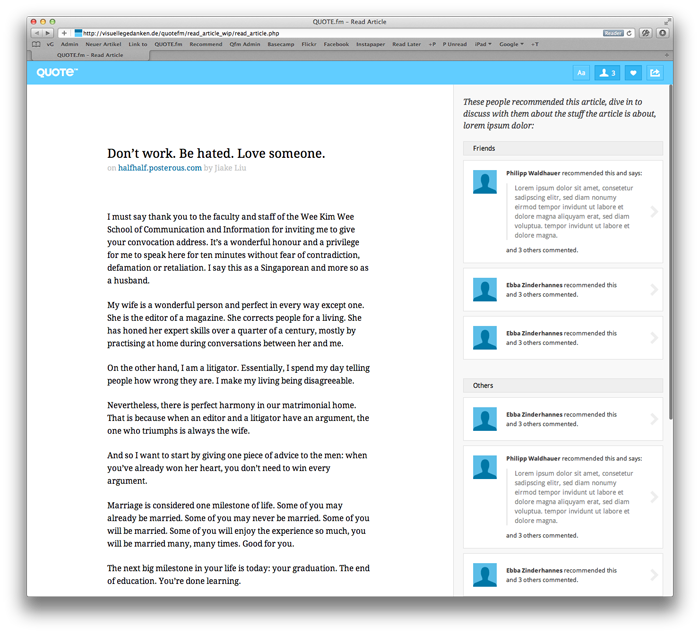
So let’s get started with what’s new. The comments are finished and look mostly like the ones you already know from QUOTE.fm.
Furthermore I replaced the standard OS scrollbars in the social reading mode with JavaScript scrollbars. They look and behave almost exactly like the ones you might know from Mac OS X Lion. They looks nice and if you don’t need them they are simply out of your way.
Today I started working on the functioning of the customize buttons. You now can change the font size, line height and width of the text. Up next are the fonts and color themes.
Have a look, click a few buttons, resize the browser and so on and let me know what you think. However, I have to say that everything is work in progress and only tested in Safari and roughly Firefox.
Start QUOTE.fm Read Demo.
26. April 2012
We’re happy to announce that, starting from now, you’ll be able to embed recommendations on your websites. Whether it’s your blog, your tumblr or your self-hosted collection of knitting tutorials, everything’s fine.
Today we released embedded recommendations for QUOTE.fm. We hope you like them as much as we do. They look like this:
25. April 2012
As a designer Marcel often shares screenshots of the designs he is currently working on. I thought about what I can share with you guys that’s more than a screenshot of the pages in a browser, because if I do my job really good it looks exactly like the designs you already saw.
After Marcel finished his work in Photoshop I take over the PSD files and begin working on the frontend. This means I craft all the HTML and CSS with dummy content and every possible state of every element. I also do all the animation stuff in JS and things like that. When I finished my work, it’s Philipp’s turn. He takes my stuff and integrates it in QUOTE.fm. He makes sure that everything works the way it should. From time to time he discovers minor bugs or needs some elements I forgot to implement. Then it’s my turn again. Sometimes we have to go back even further and do some design changes. We repeat this process over and over again until we are completely happy with the result.
The last couple of days I worked – with short interruptions – on the new Read section. As you might know we are building a read later service into QUOTE.fm. But that’s not all. We are also upgrading the read section with some social components.
For example you will see who recommended the story you are currently reading, what they said about it, which paragraph they marked, etc. You will also be able to comment on the article and engage in discussions right from the clean text view.
It’s all far from completion and everything could be changed any second, but I want to share my process along the way. So go ahead and try the QUOTE.fm Read WIP Demo.